

Aiarty Image Enhancer Adds TIFF/DNG Export, Color Restoration, and a Beta AI Eraser
Aiarty Image Enhancer has received practical updates for photographers and editors working with large files, older images, or challenging lighting. The latest version includes TIFF/DNG export, more controlled color restoration, and a new AI Eraser for object removal (Beta).
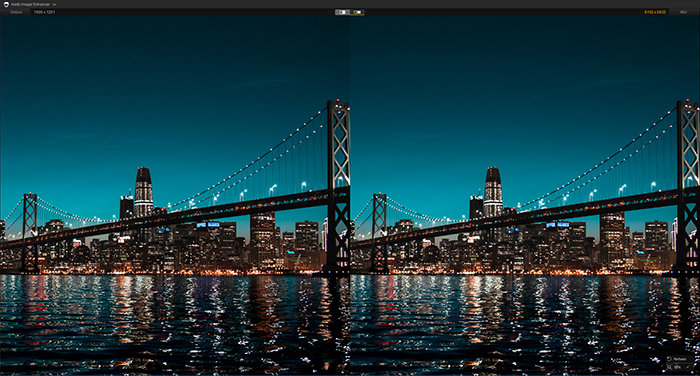
Rather than trying to replace full photo editors, Aiarty Image Enhancer works as an offline utility you can use alongside your existing workflow—for quick cleanup, restoring old photos, refining high-resolution images, improving overall clarity, or preparing files for print.
Upgrade & Availability: Existing users can upgrade for free. For those who prefer to own it outright, a lifetime license is available, currently 49% off, plus an extra $5 off with coupon NYSPECIAL at checkout (valid until Jan. 31). It covers up to three devices and includes all future updates. Learn more here.
What’s New in Aiarty Image Enhancer
1. TIFF & DNG Export for Flexible Workflows
You can now export enhanced images as TIFF or DNG, which is ideal for higher bit depth, better dynamic range, and smoother handoff to post-processing tools. Aiarty lets you set DPI based on output:
- 72–96 DPI – Web use, social media, digital publishing
- 150–300 DPI – Standard prints (magazines, posters, brochures)
- 500+ DPI – Large-format or fine-art prints
This makes it easier to prepare files for print or heavy editing, instead of relying solely on JPEG exports.
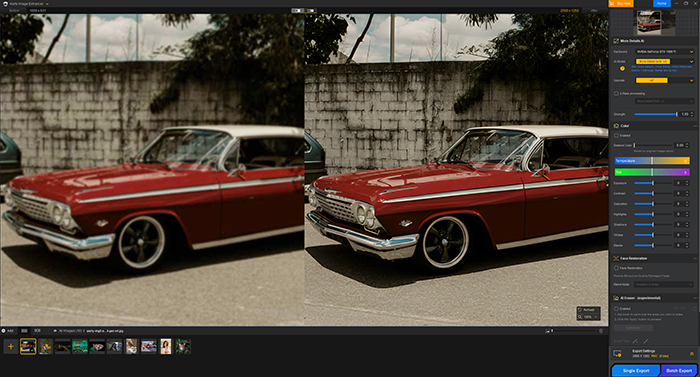
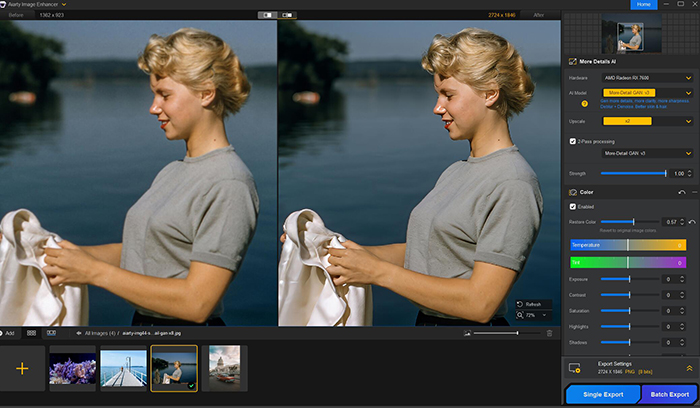
2. More Controlled Color Restoration
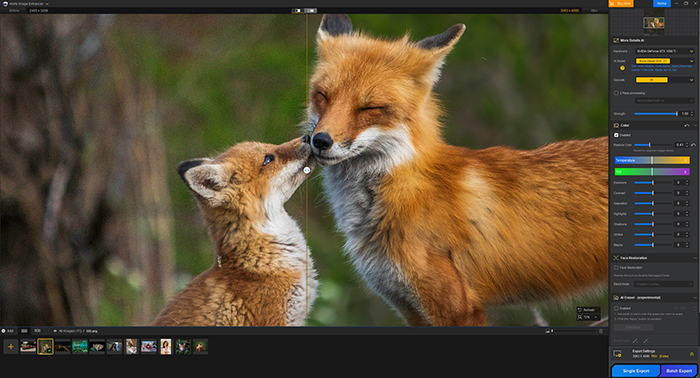
Alongside quick color enhancement tools, Aiarty now allows you to dial results back toward the original color profile using a slider. This helps keep restored or enhanced images looking natural—especially useful for old photos or faded scans.
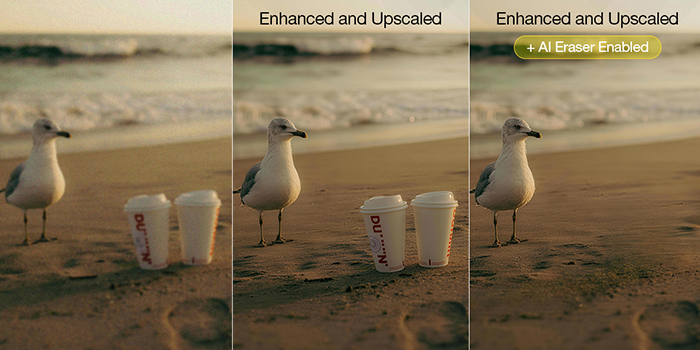
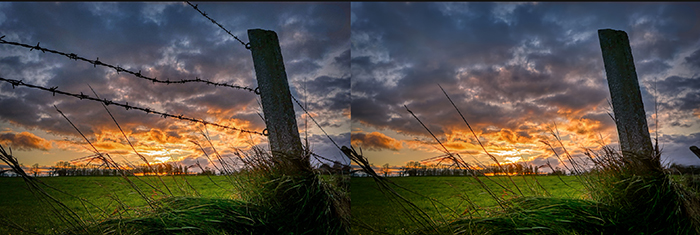
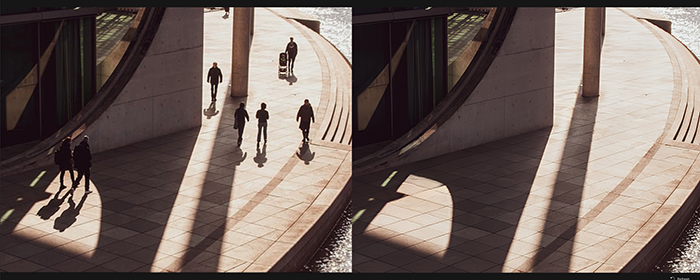
3. AI Eraser (Beta): Removing Unwanted Objects in Photos
The AI Eraser removes unwanted objects and reconstructs backgrounds, blending erased areas naturally with surrounding textures. The AI models download locally on first use, and erasing is generally fast afterward.
It works well for:
- Clutter like photobombers, vehicles, or buildings
- Text, signs, or icons on simple textures
- Background distractions such as wires or fences in moderately complex scenes
As a beta feature, it performs best on simpler, consistent backgrounds, and Aiarty plans ongoing updates to handle more complex edits. This makes quick cleanup easier without replacing your main editing workflow.
Where Aiarty Image Enhancer Fits In
Aiarty Image Enhancer isn’t trying to replace full photo editors or RAW processors. Instead, it works well as a support tool for common tasks:
- Cleaning up low-light or high-ISO images
- Upscaling photos for heavy crops or large prints
- Restoring old photos or scanned prints
- Quickly polishing flat or dull images
- Removing minor distractions without manual masking
Because it runs offline, it can be useful in environments where internet access or subscription software is not ideal.
Licensing & Last-Minute Holiday Deal
- Existing users with a valid Aiarty Image Enhancer license can upgrade for free
- New users can currently save 49% on the lifetime license, with an additional $5 off using coupon code NYSPECIAL
- The offer is valid until January 31
- The lifetime license covers up to three devices and includes future updates.
Final Thoughts
Aiarty Image Enhancer focuses on making everyday image enhancement faster and more straightforward. From restoring old photos and improving low-light shots to preparing files for print, it’s a practical addition to an existing workflow rather than a replacement for full-featured editors.
For photographers who prefer owning their software outright and working offline, it may be a useful tool to have on hand. Learn more about Aiarty Image Enhancer.